|
Free software program gainings from the most popular in download sites! Investigate the popular software package classes, watch the newest versions of the famous softwares, and obtain directly! Do not fail opportunity to recieve the popular software package: utilise SoftEmpire directory to try apps for free. Meet the directory of free programs and software system trial versions. Select among Windows and Linux utilities, recieve managers, softwares for fun, and all other varieties of software for your laptop or cellular devices!
Multimedia software to view video, listen audio, view images. Video viewers, decoders and converters are available in our catalog. Video software for PC, iPhones and other mobile devices. Audio software helps you convert your favorite music and play on your favorite audio device like iPhone, MP3 flash player etc. Image viewers work fast and allow to convert in any image formats. Best multimedia software in our catalogue.
|
4Easysoft DivX to iPod Video Converter
|
|
Download
|
Buy now!
|
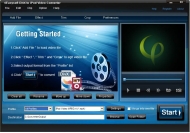
View screenshots
|
Vendor Price: $ 19.95
License: Shareware
File Size: 6.22 Mb
Version: 3.1.18
Release Date:
21 Oct 2009
OS: WinNT 4.x, Windows2000, WinXP, Windows2003, Windows Vista Starter, Windows Vista Home Basic, Windows Vista Home Premium, Windows Vista Business, Windows Vista Enterprise, Windows Vista Ultimate, Windows Vista Home Basic x64, Windows Vista Home Premium x64, Windows Vi
System Requirements:
800MHz Intel or AMD CPU, or above; 512MB RAM or more
Company: 4Easysoft Studio
|
|
4Easysoft DivX to iPod Video Converter provides an easy way to convert DivX to iPod video, so it is the professional DivX to iPod Converter to convert MPEG4, AVI to iPod MP4, MOV, M4V video and MP3, AAC, WAV audio for iPod. 4Easysoft DivX to iPod Video Converter has rich functions to edit your output files: adjust output video effect, crop the output video size, set the exact output parameters and join several files into one.
Key Features
1.Set video effect and Deinterlacing
4Easysoft DivX to iPod Video Converter allows you to set the video Brightness, Contrast, Saturation. Checking Deinterlacing helps you to convert interlaced video to the progressive video, this function can optimize the video effect.
2.Get any clips
Trim any time-length clips from the source video exactly or casually drag the bar.
3.Join several files into one
4Easysoft DivX to iPod Video Converter can merge several separated files into one for you to enjoy it successively.
4.Crop video play region to retain what you want
Crop frame size to remove your unwanted area using DivX to iPod Converter like the smart scissors.
5.Smooth picture capture
Take snapshot to capture the image of highlight while previewing movies. It can be saved in default folder automatically.
6.Customize output settings
Set the Video Encoder, Resolution, Frame Rate, Video Bitrate. You can also directly input your own resolution as the form of â??XXX*XXXâ??; set the Audio Encoder, Sample Rate, Channels, Audio Bitrate. You also can save all the output settings as your preference, which is saved in the user-defined column automatically.
7.Preview both the input and instant output video effect simultaneously
You can preview the original video and the instant output video for your operation at the same time.
|
More to download:
Aiseesoft TRP Converter
Aiseesoft TRP Converter is an well-designed software, which is able to help you convert TRP video to all popular video and audio formats with super fast speed and perfect sound/image quality.
Aiseesoft Total Media Converter for Mac 8.0.38
Aiseesoft Total Media Converter for Mac owns the functions of Aiseesoft homemade DVD converter and Aiseesoft Video Converter so you can use it to rip any homemade DVD disc and convert any popular video/audio file to another video and audio format.
7thShare HD Video Converter
7thShare HD Video Converter can convert HD video to MP4, MKV, AVI, WMV, MOV, M4V and more. It also can convert 4K videos to 4K video like 4K H.264 TS, 4K AVI, and 1080p HD video files to HD MOV, HD AVI, HD WMV, HD MP4.
|
|
|
Windows Backup |
Looking for backup software? Try Handy Backup - automatic data backup to DVD, CD, FTP, network, or Online. Client-server enterprise backup software.
|
|
Top Downloads |
Download, save and convert Redtube videos ( redtube.com ) to your PC
PhotoScape is an all-in-one style photo editor with fun and ease of use.
Convert any format video files with fast speed and excellent video quality.
|
|



