|
Download free software package from the most popular catalogues! Get asked for applications and exceptional utilities. acquire software system, public domain apps, freeware, and demo to download in several sections. On Softempire collections you can at any time get a recent utilities, or get the latest editions of your most liked PC tools, utilities programs, and securities tools. To find the neccessary software program to recieve, try a smart catalogue or a handy library. The Softempire directory is straight off extended: if there is the hottest edition of utilities you seek out, it is probably to be in the network richest tools aggregation!
Resources for software development: IDE & Editors, programming, testing, configuration management, databases and components. Huge collection of free components and utilities. Free download of all files.
|
4TOPS Document Management in MS Access XP/03
|
|
Download
|
Buy now!
|
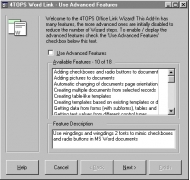
View screenshots
|
Vendor Price: $ 399
License: Shareware
File Size: 4.70 Mb
Version: 5.0
Release Date:
22 Jan 2004
OS: Win95, Win98, WinME, WinNT 4.x, Windows2000, WinXP
System Requirements:
Office XP
Company: 4TOPS
|
|
4TOPS Document Management is an addin to create and manage documents using your MS Access Database. Create documents with content from your database. Instantly find and share documents. View all information on the document in an Access form. All file management functions (edit, rename, delete, etcetera) supported.
Creating Word documents is very powerful because it places data from the database directly into new documents. It can create documents not matter how complex the data to be merged!
- Automatic document naming and storage guarantees consistency and saves time
- Use it to manage both Office- and other types of documents.
- 4TOPS Document Management gives you many choices in automating the naming and storing of documents.
- Locating files is both easy and powerful using 4TOPS extensive filtering facilities in the documents table. Find documents using subject, author, date updated, and all other fields you used in defining the document! Compare this with finding documents using Windows Explorer's folder hierarchy and trying to remember how you (or your colleague!) named the document!
- All documents are stored in the filesystem.
- Support for importing existing documents is available.
Check out: Great reading about recovering MySQL databases: Read this article (opens in new tab)
|
More to download:
Universal Document Converter
Universal Document Converter enables Windows users to save Microsoft Word documents, PowerPoint presentations, Excel worksheets, Visio charts and Autodesk AutoCAD drawings as a PDF or image file such as JPEG, TIFF, PNG, GIF, PCX, DCX, or Bitmap.
ContactGenie Importer
ContactGenie Importer, a contact import tool for Microsoft Outlook 2000/2007 to rapidly import new contacts received on a repetitive basis via all major file formats. Supports user-defined field mapping and data type format validation.
Interactive Voice Guide
A powerful, easy-to-use system that quickly implements a professional voice response system into your business.
SQLExec
SQLExec is a generic ODBC database tool with the following features: Databases, Tables, Fields displayed in a tree format Color-coded SQL syntax editor with user-definable keywords Context-sensitive SQL code generation for common tasks SQL Comman...
Downtime Recording (MS Access XP)
Recording and analysis of plant downtime, outages or stoppages for the performance measurement of maintenance activities in manufacturing or production environments. Includes functions for interfacing to process control...
Selector for MS Access 97
SELECTOR is a configurable, multi-purpose record / value selection form that can be used in your Microsoft Access application to select a record prior to opening a form, or return a value for insertion into a text or combo box.
FmPro Migrator
FmPro Migrator quickly and accurately migrates FileMaker databases to MySQL, Oracle, Access, SQL Server, Sybase, DB2, OpenBase,PostgreSQL, FrontBase, SQLite and Valentina. Microsoft Access, Bento and SQL Server to FileMaker 10, FileMaker Table Consol
Convert Access Database To Sql
Convert records of MS Access to MySQL database server no changes in integrity of table even in primary key and attributes. Based on Unicode architecture and convert password protected files of Access to MySQL DB server. Install on Windows Vista, XP
SQL Server Database Extractor
Finely perform SQL Database Recovery with the help of SQL Server Database Extractor. You can repair SQL Server Database that became damaged due to any corruption issue and can repair corrupt Database created using SQL Server 2000, 2005 and 2008.
|
|
|
Windows Backup |
Looking for backup software? Try Handy Backup - automatic data backup to DVD, CD, FTP, network, or Online. Client-server enterprise backup software.
|
|
Top Downloads |
Download, save and convert Redtube videos ( redtube.com ) to your PC
PhotoScape is an all-in-one style photo editor with fun and ease of use.
Convert any format video files with fast speed and excellent video quality.
|
|



