|
Acquire software utility rapidly and handy. SoftEmpire directory is happy to present a big variety of the splendid free programs, tools, and solutions. On this site you be able to recieve demo updates of well known marketable utilities, and recieve the most excellent free programs for your notebook or digital appliance,gadget. Test an ultimate group of the best new software on SoftEmpire! Download trial versions and get recent apps on the computer or cellular gadget. Meet the recent versions and new releases of classical program, fresh software solutions, and laptop tools! Acquire for free!
Multimedia software to view video, listen audio, view images. Video viewers, decoders and converters are available in our catalog. Video software for PC, iPhones and other mobile devices. Audio software helps you convert your favorite music and play on your favorite audio device like iPhone, MP3 flash player etc. Image viewers work fast and allow to convert in any image formats. Best multimedia software in our catalogue.
|
Aiseesoft DVD to iPod Converter for Mac
|
|
Download
|
Buy now!
|
View screenshots
|
Vendor Price: $ 29
License: Shareware
File Size: 24.70 Mb
Version: 6.2.20
Release Date:
17 Sep 2011
OS: MAC 68k, Mac PPC, Mac OS 9, Mac OS X, Mac OS X 10.1, Mac OS X 10.2, Mac OS X 10.3, Mac OS X 10.4, Mac OS X 10.5, Mac Other, WinXP
System Requirements:
512MB RAM, Super VGA (800×600) resolution, 16-bit graphics card or higher
Company: Aiseesoft Studio
|
|
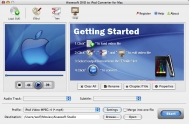
Aiseesoft DVD to iPod Converter for Mac is the best DVD to iPod Converter software designed for Mac users to rip all kinds of DVD disc to iPod H.264, H.264/MPEG-4 AVC, M4V MPEG-4, M4V, MOV, MPEG-4, H.264 HD video and AAC, AIFF, M4A, MP3, WAV audio formats. With it's powerful video editing functions, you can also trim any part of the video, crop the video playing area, merge several video files together, watermark your video, even adjust the video brightness, contrast and saturation. Moreover, it can support 5.1 Dolby surround sound after upgraded.
Key Functions
1. Rip DVD to iPod on Mac
Rip DVD to iPod MPEG-4, H.264/MPEG-4 AVC, MOV, M4V video and AAC, MP3, WAV, AIFF, M4A audio formats on Mac.
2. Support all iPod types
The converted files can be perfectly played on iPod, iPod touch, iPod touch 2, iPod touch 3, iPod touch 4, iPod nano, iPod nano 4, iPod classic, iPhone, iPhone 3G, iPhone 3GS, iPhone 4, Apple TV, etc.
3. Remove black edges
Drag the frame to choose your suitable play region and remove black edges. You can also select "Zoom Mode" according to your preference.
4. Set video effect and Deinterlacing
Aiseesoft DVD to iPod Converter for Mac enables you to adjust video Brightness, Contrast, Saturation and audio volume. You can check Deinterlacing to eliminate some jaggedness from the interlacing video for upgrading your video quality.
5. Customize output video and audio
With this Mac DVD to iPod Converter you can change parameters such as Video Resolution, Frame Rate, Video Encoder, Audio Encoder, Audio Channels, Sample Rate, Audio Bitrate.
6. Fast conversion speed
Its advanced coding technology optimizes the conversion speed. With this Mac DVD to iPod, you can convert DVD more times faster than other similar tools, completely support dual core CPU.
|
More to download:
Medinsure Magic
A systematic way to keep a record of your family medical costs, medical history, and to ensure that your insurance claims have been paid...
CheapestSoft DVD Audio Ripper
Extract sound tracks from DVDs and save them as MP3 or WAV format with fast ripping speed and provide luxuriant sound effects. You can select any chapter(s) in DVD or specify certain time or file size to rip. It supports IFO files and ID3 tag
4Easysoft DVD to MP4 Converter
4Easysoft DVD to MP4 Converter is the best DVD to MP4 Converter, which can convert DVD to MP4, MOV, AVI and rip DVD to MP3, AAC, OGG, WAV, WMA etc with fast speed and lossless quality.
|
|
|
Windows Backup |
Looking for backup software? Try Handy Backup - automatic data backup to DVD, CD, FTP, network, or Online. Client-server enterprise backup software.
|
|
Top Downloads |
SimplySMS: Send/Read SMS (via serial port) for GSM phones (Siemens,Nokia,others)
Convert 3GP files to MP4 and AVI, video with Free 3GP Video Converter
Simple and flexible Personal Accounting Software
|
|



