|
Innovative package gettings from the specialized in download catalogs! Browse the featured software utilities families, see the hottest refreshes of the featured programs tools, and try at once! Do not fail a luck to acquire the hottest tools: employ SoftEmpire website to get tools for free. Meet the collection of freeware and computer software versions. Select among Windows and Linux utilities, recieve managers, playgames, and all other types of apps for your notebook or cell devices!
Multimedia software to view video, listen audio, view images. Video viewers, decoders and converters are available in our catalog. Video software for PC, iPhones and other mobile devices. Audio software helps you convert your favorite music and play on your favorite audio device like iPhone, MP3 flash player etc. Image viewers work fast and allow to convert in any image formats. Best multimedia software in our catalogue.
|
Audio Tags Editor
|
|
Download
|
Buy now!
|
View screenshots
|
Vendor Price: $ 29.95
License: Shareware
File Size: 1.88 Mb
Version: 1.999
Release Date:
3 Mar 2008
OS: Win98, WinME, WinNT 4.x, WinXP, Windows2000, Windows2003
System Requirements:
Win 98/Me/NT/2000/XP/2003
Company: ABF software, Inc.
|
|
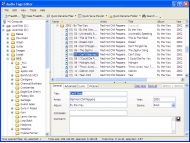
Audio Tags Editor is a convenient and powerful audio file tags editor. It enables you to edit tags, rename files, folders, export data to various formats, save playlists and much more. Audio Tags Editor will let you put your audio files collection in order!
Audio Tags Editor allows you to do without separate tag editing dialogs and edit them directly in the list cells. It makes the tag editing process similar to editing spreadsheets. Nevertheless, the software has a convenient form for editing the tags of separate files or a group of selected files.
Audio Tags Editor allows you to receive the information on the album from the public FreeDB database. The software will automatically single out album tracks from the list and receive the list of suitable albums according to the number and length of the tracks. You will only have to select one album, and the program will fill in the tags with the received information.
Audio Tags Editor contains an unique feature of a massive FreeDB search. That means that you can retrieve information about music albums for any number of folders at once. This feature allows you to put a music collection in order as fast as possible, almost in one click!
Audio Tags Editor allows you to change tags in all subfolders. This unique feature allows you, for example, to rename the comments in your entire audio collection at once no matter how many subfolders there are in it! When you open folders, files in them are analyzed and you can see the total play time, the average bitrate and the size of audio files in the album.
Audio Tags Editor allows you to organize and structure your music collection directly from the software. Using Audio Tags Editor, you can copy, move, delete and rename files and folders. The selected files can be renamed and saved in the playlist with one click according to the template you specify.
|
More to download:
Total Audio Converter
Total Audio Converter is the best tool to convert mp3, wav, flac, ogg, ape and much more. Look closer at it: TAC supports all audio formats, has built-in CD ripper and audio player, can be handled via command line and is still very user-friendly.
All Audio Converter
All-in-one Audio recorder, audio converter, audio CD ripper and CD burning software, supports mp3, wave, wma, ogg, cda and many others audio formats.
Zilla Free Audio Converter-Extractor
Converts audio formats from one to another, extract audio from video or record audio to HD. Convert (to and from) WAV PCM, CDA, MP3, WMA, ALF2, ADPCM, GSM, G.726, DSP, A-LAW, ACM, U-LAW, PCM, Ogg Vorbis, AVI and records from mic or cassette tapes.
MediaMonkey
An easy-to-use music manager for serious music collectors. It catalogs CDs, M4A, OGG, WMA, FLAC, WAV and MP3 files and rips CDs, converts and levels audio, tags & organizes files and playlists, and syncs with iPods, MP3 players and phones.
FontRenamer
FontRenamer is free and renames truetype font files (*.ttf) to the real name of the typefaces. Simply select a folder of font files and click Rename button. »Arial bold italic.ttf« instead of »arialbi.ttf« or »Brush Script.ttf« instead of »bruscn.ttf
Quick Flash Player
Quick Flash Player is a stand-alone flash player that enables Flash Users to quickly
browse the SWF files.It offers a variety of playback
capabilities including full screen mode.
AudioCommander
Powerful batch conversion for CD, WAV, MP3, WMA, OGG, MP2, AIFF, AAC, AC3, AMR, 3GP, AU, VOX, RAW, PCM, GSM, ADPCM, A-LAW, u-LAW, g72x, DSP, MPC, MP+, MOV, AVI audio, and more with highly configurable command-line support or easy-to-use interface.
iPhone Transfer build 0708
iPhone Transfer build 0708 is a sound of blessing for frustrated Apple's iTunes users who can't copy music files from iPhone to pc desktop or laptop since iTunes blocks iPhone-to-computer song transfer. Now Tansee provide you a full iPhone solution.
Alternative Web TVbox Tool
Watch 4000 Online television stations from your notebook. Not required of a television hardware. Pure picture - no subscription necessary. Watch TV stations online from home. All you need is our Internet TV program, your PC, and online connection.
|
|
|
Windows Backup |
Looking for backup software? Try Handy Backup - automatic data backup to DVD, CD, FTP, network, or Online. Client-server enterprise backup software.
|
|
Top Downloads |
SimplySMS: Send/Read SMS (via serial port) for GSM phones (Siemens,Nokia,others)
Convert 3GP files to MP4 and AVI, video with Free 3GP Video Converter
Simple and flexible Personal Accounting Software
|
|



