|
Innovative software program gainings from the best in download catalogues! Use the called for applications groups, ascertain the hottest refreshes of the asked-for tools, and setup immediately! Do not toss away an option to recieve the most asked-for programs: employ SoftEmpire directory to recieve package for free. Meet the library of shareware and app releases. Search among system apps, obtain controllers, games, and all other sorts of software apps for your PC or cell devices!
Resources for software development: IDE & Editors, programming, testing, configuration management, databases and components. Huge collection of free components and utilities. Free download of all files.
|
Flash Favorite
|
|
Download
|
Buy now!
|
View screenshots
|
Vendor Price: $ 19.95
License: Shareware
File Size: 1.31 Mb
Version: 1.8.3.8
Release Date:
3 Mar 2009
OS: Win95, Win98, WinME, WinNT 3.x, WinNT 4.x, Windows2000, WinXP
System Requirements:
IE 5.0 or above
Company: Flash Download
|
|
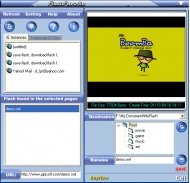
Flash Favorite makes it easy to download and save flash files (SWF, FLV) on the web pages. You can preview the flash files and optionally rename it and save the file clip on your computer for future playback.
Guide:
1. How to download and playback FLV files from online video website (http://www.pipisoft.com/downloadflv.htm ).
2. How to download video from YouTube.com (http://www.pipisoft.com/downloadyoutube.htm).
3. Want to convert and burn FLV movies to DVD and watch them on your TV? Try AoA DVD Creator (http://www.aoamedia.com/dvdcreator.htm) !
Why Flash Favorite Is The Best Solution For You?
- Download Macromedia Flash files from anywhere on the Web
With a few quick mouse clicks, Flash Favorite lets you pull embedded SWF files from any Flash-enabled site. Just pick the file you want in the preview window, hit save.
- Download FLV (Flash Video) files from any online video websites
- YouTube Downloader - With this feature, you can easily download videos from YouTube.com.
- User defined category
You can quickly categorize your downloaded flash files. It makes the management of flash filess more efficient!
Free trial: http://www.pipisoft.com/download.htm
For more information, please visit http://www.pipisoft.com
|
More to download:
Quick File Rename Personal Edition
Very easy to use batch file and folder renaming utility, with INTERNATIONAL CHARACTER SUPPORT! Features such as Undo, Real-time Preview, Exif, IPTC, XMP, regular expressions, file rename using wildcards, MP3/Ogg vorbis/MPC id3 tagging and MANY more.
Advanced Image Manager
Advanced Image Manager (AIM) is an easy-to-use graphic file previewer and organizer for Windows 95/98-NT which simplifies the process of finding images stored on different drives: floppy disks, hard drives, optical disks, CD-ROM, ZIP and other me...
Directory Compare
Directory Compare provides a comparison of the contents of two directories and the ability to synchronize the directories. It includes the following capabilities: Compare the contents of two directories. Copy and move files between the directorie...
Cool Flash Player&Manager
Cool Flash Player&Manager is a flash player and manager.Enjoy or collect flash and manage flash movie files more conveniently.Give note and comment to every flash.Arrange flash under categories...
Sothink JavaScript Web Scroller
Sothink JavaScript Web Scroller creates scrollers including ads, events, news, slide shows, etc. Scroller will detect the browser's window size and fit the window automatically. Well integrate with Dreamweaver, FrontPage, Expression Web and
Cool Online Site Creating Centre
This interactive designing package aids you construct Online pages with no having to understand HTML; only manipulating with project content.
|
|
|
Windows Backup |
Looking for backup software? Try Handy Backup - automatic data backup to DVD, CD, FTP, network, or Online. Client-server enterprise backup software.
|
|
Top Downloads |
Freeware program to rename files & folders & Multimedia files wi
Hotspot Shield secures your Internet connection from hackers
Protect your computer from viruses and malicious programs.
|
|



