|
Meet the catalogue of software program solutions! The SoftEmpire website has a lot of software utilities, freeware, demonstration, and demo versions notebook applications to locate in diverse classes. The Softempire website is certainly free of charge to download. Move for excellent software program solutions and economize your time! Surf the free download ultimate software utility website: software tools and applications, file protection solutions, backups, and a lot of other cool solutions. Have a look on the free utilities plenty on Softempire.com: there a lot of exciting and beneficial utilities waiting for you.
Top utility software 2011 downloads for free!
System software designed to help analyze, configure, perfect, and maintain the computer.
Hard drive utility software to partition, initialize, and save neat the disk drives.
Windows utility software tool collection to determine, organise, and improve the working of the computer.
|
GetDataBack Data Recovery for FAT
|
|
Download
|
Buy now!
|
View screenshots
|
Vendor Price: $ 69
License: Shareware
File Size: 2.48 Mb
Version: 3.03
Release Date:
28 Jan 2007
OS: Win95, Win98, WinME, WinNT 3.x, WinNT 4.x, Windows2000, WinXP, Windows2003, Windows Vista Starter, Windows Vista Home Basic, Windows Vista Home Premium, Windows Vista Business, Windows Vista Enterprise, Windows Vista Ultimate, Windows Vista Home Basic x64, Windows Vista
System Requirements:
32 MB RAM
Company: Runtime Software
|
|
No matter what the disaster scenario is - GetDataBack will recover your data if the hard drive's partition table, boot record, FAT or root directory are lost or damaged, data was lost due to a virus attack, the drive was formatted, fdisk has been run, a power failure has caused a system crash, files were lost due to a software failure, files were accidentally deleted...
Recover even when Windows doesn't recognize the drive - GetDataBack can even recover your data when the drive is no longer recognized by Windows.
It can likewise be used even if all directory information - not just the root directory- is missing.
Get everything back- Advanced algorithms will make sure that all directories and sub directories are put together as they were, and that long file names are reconstructed correctly.
GetDataBack is safe - GetDataBack is read-only, meaning the program will never attempt to write to the drive you are about to recover. Please make sure to read the safety instructions...
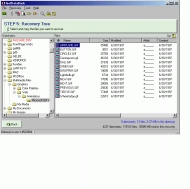
GetDataBack is easy to use - The software enables the regular user to conduct his own data recovery by guiding him through five easy to understand steps, thus gives the advanced user the possibility to interfere with the recovery and improve the results, by examining the scan log, the file system details, file and directory information, by selecting the sector range to be scanned, by choosing excessive search for file systems or search for lost files, by calling Runtime's DiskExplorer. Recover files over your local network or over a serial cable.
This feature enables you to run GetDataBack on one computer ("remote") while accessing the drives of another computer ("host").
Recovering data over a network is useful, especially when you are not able to remove the drive you want to recover from and attach it to another computer.
GetDataBack can also be run from a boot disk and now supports Unicode characters.
|
More to download:
PixVillage - Online Photo Sharing
Share your digital photos by the hundred with your friends and family ! PixVillage is a free software for online photo sharing. Share photos with your friends and family with no limitation.
Disk Secure Eraser
Erases all files and data on a storage media really and completely, so as to prevent your information properties leaking out. If you remove files or format a disk in a ordinary way such as removing with Windows Explorer, the files may not be er...
FinalRecovery File Undelete Utility
FinalRecovery is a powerful and convenient data recovery solution. It was developed to recover deleted files and folders from Hard Disks and Floppy Disks which were formatted in FAT12, FAT16, FAT32 and NTFS file systems.
Active UNERASER - Data Recovery Software
Powerful 32-bit console-based data recovery software for Windows and DOS users. Supports: NTFS, FAT32, FAT16, FAT12, NTFS+EFS file recovery. Creates and operates with disk images. UNERASER can be started from bootable floppy, CD. ISO image included.
blueshell ADO Survey Kit
bAsk - the blueshell ADO Survey Kit - is a new diagnostic toolkit for ADO programmers. It presents viewers for all types of ADObjects. bAsking is better than debugging! It's freeware!
Link bask.dll to your VB project and view all your ADObjects!
DataFit
DataFit is a tool for performing curve fitting, statistical analysis & data plotting. Fit equations with up to 100 parameters to data with up to 20 independent variables. Define your own equations or choose from over 600 pre-defined equations
Download Free MDF Viewer
How to view SQL database? Download free MDF viewer tool to view MDF file or database when you are unable to view SQL database or MDF file due to corruptions. Free SQL MDF file viewer is the best option to view MDF files at free of cost.
Copy Outlook Email to Thunderbird
Now you can copy Outlook email to Thunderbird or move Outlook email to Thunderbird by using MSG to MBOX Converter software. A few minutes would suffice for the software in its accomplishment of the batch conversion with the multitudes of data.
Professional OST Files Converter Tool
Adopt Professional OST files converter in order to reinstate corrupt OST files data in form of readable Outlook PST files. The tool is ingrained with multiple OST management features like OST filter, file split, unlimited saving formats etc.
|
|
|
Windows Backup |
Looking for backup software? Try Handy Backup - automatic data backup to DVD, CD, FTP, network, or Online. Client-server enterprise backup software.
|
|
Top Downloads |
Download, save and convert Redtube videos ( redtube.com ) to your PC
PhotoScape is an all-in-one style photo editor with fun and ease of use.
Convert any format video files with fast speed and excellent video quality.
|
|



