|
Look at the directory of software utility solutions! Our directory maintains a set of utilities, free programs, presentation, and shareware PC applications to settle in diverse groups. Our library is definitely free to try. Visit for awesome program systems and save your money! Look at the free download special software directory: system program tools and utilities, netwok security software, firewalls, and a lot of other attractive solutions. See the free software programs plenty on Softempire.com: there thousands of excellent and handy applications waiting for you.
Multimedia software to view video, listen audio, view images. Video viewers, decoders and converters are available in our catalog. Video software for PC, iPhones and other mobile devices. Audio software helps you convert your favorite music and play on your favorite audio device like iPhone, MP3 flash player etc. Image viewers work fast and allow to convert in any image formats. Best multimedia software in our catalogue.
|
IconXP
|
|
Download
|
Buy now!
|
View screenshots
|
Vendor Price: $ 29.95
License: Shareware
File Size: 1.20 Mb
Version: 3.20
Release Date:
19 Feb 2009
OS: Win95, Win98, WinME, WinNT 4.x, WinXP, Windows2000, Windows2003
System Requirements:
16MB RAM, Pentium-133 MHz, 2MB Hard Disk, True Color video mode
Company: Aha-Soft
|
|
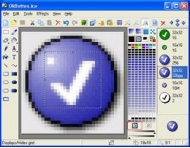
Aha-Soft IconXP allows you to edit icons and customize the Windows desktop appearance. It supports the new icon format introduced in Windows Vista (employs smooth transparency and other visual effects). Using this program you can create and edit icons in either standard or custom sizes, with color depths up to 32-bit True Color with 8-bit alpha channel. Paint tools include: color replacer, color selector, spray can, pencil, brush, flood fill, text tool, line tool, rectangle, curve, ellipse, 3d frame. Modifiers can also be used to apply color gradients and chess fills. For Windows XP icons, you get to add cool drop shadow and smooth effects.
IconXP supports .ico, .ani, .cur, .wmf, .emf, .bmp, .jpg, .jpeg, .gif, .png, .xpm, .xbm, .wbmp, Mac OS icons and Adobe Photoshop .psd file formats. You can import images from screen captures. IconXP allows you to import, export and change color palettes for icon images.
IconXP allows you to change standard Windows icons, folder icons and customize desktop attributes. You can easily replace, colorize and save the icons Windows uses to display various objects - My Computer, Recycle Bin, Internet, Start menu items, drives, system folders and your own folders. You can also hide or change shortcut overlays. There are also commands that change the desktop icons size and color resolution, and rebuild the icon cache.
|
More to download:
Frozen Icons
Automatic save and restoration of desktop icons after change screen resolution. Hide icons in your Desktop. Zooming coordinates icons when changing screen resolution. Frozen Icons will create an unlimited quantity of icon schemes for your desktop...
40 Animated Icons Plus!
An interesting and usable set of animated icons, tastefully designed for display using Microangelo's 'On Display (available for 21 day trial or purchase at CNET downloads). This collection was produced for 256 colors and up in 32x32 pixel format...
AWicons by Lokas Software
Icons/cursors/small graphics editor. Features:
- multilingual interface;
- full Windows XP icons support;
- loading/saving images in many formats (ico, cur, ani, png, gif, bmp, jpg);
- all color formats supported (mono, 16, 256, t...
HyperSnap
HyperSnap is a powerful screen capture, text capture and image editing tool for Windows. It snags desktop programs, multiple screen regions, freehand drawn shapes, game screens. Automates tasks like saving, FTP upload, image stamping, more.
Screen Capture Pro
Screen Capture Pro is a computer utility for capturing screenshots. It is designed for quick capturing screenshots by six different ways as to your different requirements. Short keys are supported for different capturing solutions.
Universal Explorer
It is a powerful Windows Explorer replacement designed to replace the rather restricted eatures of the standard Windows Explorer file management program. It is fully featured and offers any advantages to Windows Explorer.
Digital Splats HTML
Splats HTML protects your original photos taken by digital camera, but provides a complete, quick and easy way to resize, rotate, add text, define captions and create thumbnails with web pages ready to publish to your web site...
Perfectum plug-in
Perfectum plugin is a tool to smooth out the image imperfections. It enhances the surface smoothness, removes all kind of digital noise, improves the line and edge antialiasing. Perfectum plug-in is useful for enhancing images after upsizing.
ORS Visual Lite
Available for free, ORS Visual Lite facilitates the review, storage, and distribution of medical images in clinical settings. Functions include DICOM communication, MPR, MIP, derived series, anonymization, annotations, reporting, printing, and more
|
|
|
Windows Backup |
Looking for backup software? Try Handy Backup - automatic data backup to DVD, CD, FTP, network, or Online. Client-server enterprise backup software.
|
|
Top Downloads |
Download, save and convert Redtube videos ( redtube.com ) to your PC
PhotoScape is an all-in-one style photo editor with fun and ease of use.
Convert any format video files with fast speed and excellent video quality.
|
|



