|
Test award winning software package from the greatest internets sites! Check out called for applications and rare tools. Setup package, shareware, freeware, and demo to get in different lists. On Softempire collections you can always obtain an updated apps, or acquire the latest releases of your favorite computer tools, utilities programs, and securities tools. To find the neccessary utilities to setup, try a simple catalogue or a smart compendium. The Softempire directory is instantly replenished: if there is the most recent variation of computer software you search, it is most likely to be in the network most wealthy computer software collection!
Shareware, freeware collection of exceptional desktop themes, screensavers, 3d wallpapers, icons and ICQ skins are available to download.
|
MY IPOD Manager
|
|
Download
|
View screenshots
|
License: Freeware
File Size: 1.77 Mb
Version: 1.2.0.0
Release Date:
22 Jan 2008
OS: Win95, Win98, WinME, WinNT 3.x, WinNT 4.x, WinXP, Windows2000, Windows2003
System Requirements:
10MB Disk Space, Free RAM 32 MB
Company: Myipodcenter.com
Languages:


|
|
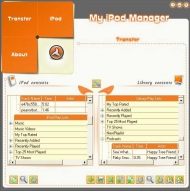
IPodManager is an easy to use tool to manage your iPod, it can copy files iPod to PC and vice versa, remove files from liberary, delete dead tracks, synchoranize your iPod with your library, creat new playlists delete files from library and hard disk, Your system must have iTunes 4.7 or later installed, The iPod must be configured for disk use and automatic updating (You will find these options in the iPod options in the iTunes Applications), Its recommended to connect the iPod to the computer before launching the iPodManager, iPodManager will automatically search for the connected iPod and load all its contents and also loads the library contents. If the iPod is not connected or the connection is still in progress it will notify you. iPod Play Lists: You can do the following with the iPod contents : Copy selected play lists to PC: This will copy all the selected play lists to your PC; you will be prompted to select the path to copy the contents to. iPodManager will create a folder with each play list name and copy all its contents to this created folder. Copy selected tracks: This will copy all the selected tracks to the PC; you will be prompted to select the path to copy the contents to. View track info: this will show you the track info (You can get the track info also by double clicking the track or right click on the iPod list). Refresh the iPod contents: this will refresh the iPod contents from the connected iPod. Library Play Lists: You can do the following with the library contents : Add file to library, Add folder to library, Delete selected play lists, Delete selected tracks, Permanent delete selected tracks, Delete dead tracks, Remove Duplicates, Update library info, View track info, Refresh the Library contents, Backup Library DB, Restore Library DB.
|
More to download:
Desktop Wizard Pro
A professional and versatile wallpaper changer and manager that performs magic. With its unique and eye-catching features, you would have great fun with your ever-increasing wallpaper collections. Just enjoy the changing scenes on your desktop!...
Minute Timer
This is a tiny count down timer program built completely in assembly language.
Global Time Synchronizer
Global Time Synchronizer is a versatile time keeping tool that has many features including the ability to modify the look of your standard desktop clock, an easy-to-use, convenient interface that uses skins to modify its appearance and much more.
|
|
|
Windows Backup |
Looking for backup software? Try Handy Backup - automatic data backup to DVD, CD, FTP, network, or Online. Client-server enterprise backup software.
|
|
Top Downloads |
Download, save and convert Redtube videos ( redtube.com ) to your PC
PhotoScape is an all-in-one style photo editor with fun and ease of use.
Convert any format video files with fast speed and excellent video quality.
|
|



