|
Inspect the hottest utility groups, try the recent releases of the popular apps, and acquire free! The hottest downloads for PC and mobile appliances. Software, free programs, shareware, and trial programs, composed into intuitive groupings are at the service. Software program downloads from SoftEmpire bring you beneficial systems and utilities for your PC or cell appliances. All software solutions are free, so you may not only upgrade the computer with the latest utilities, but also spend sparingly money!
Shareware, freeware collection of exceptional desktop themes, screensavers, 3d wallpapers, icons and ICQ skins are available to download.
|
National Parks and Monuments
|
|
Download
|
Buy now!
|
View screenshots
|
Vendor Price: $ 9.95
License: Shareware
File Size: 3.90 Mb
Version: 3.0
Release Date:
30 Jan 3
OS: Win95, Win98, WinME, WinNT 4.x, WinXP, Windows2000, Windows CE
System Requirements:
16meg RAM, 5meg Disk Space, Sound Card.
Company: Imagedancer
|
|
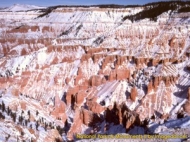
National Parks and Monuments features beautiful scenes from many wonderful American Parks, presented for your desktop enjoyment. The pictures are accompanied by an acoustically based digital soundtrack, and all images are captioned. The advanced screen saver engine includes a Wallpaper feature allows you to select any image in the screen saver as your Desktop Wallpaper, i.e., the Background Image. Additional user controls include: adjusting image caption placement, size, color, font and style; delay between picture changes; showing pictures full-screen or at original size; muting the audio; using more than 50 transition effects. Images in the screen saver include: Black Canyon of the Gunnison National Park, Petrified Forest National Park, winter at Cedar Breaks National Monument, Great Sand Dunes National Monument, and many other beautiful locations in some of Americas Parks.
Using the Wallpaper Feature
Right-click the Screen Saver Icon on the Windows Task Bar and select "Configure Screen Saver". In the Screen Saver List select the title of your Imagedancer Screen Saver you wish to configure. Select the Wallpaper Tab and select the image you would like to use as your Desktop Background (Wallpaper). You may also select how you would like the image presented, i.e., Stretched to fill the screen, Tiled with multiple images to fill the screen, or the original size of the selected image. The Wallpaper selection may be changed at any time. To revert to the Windows Desktop go to the Display Properties dialog box and select the image from the list presented there. This feature applies to all Natural Image Screen Saver versions 2003 and later.
|
More to download:
Comet
The comet screensaver displays a comet swooping over your screen, lighting up your darkened desktop.
Options: Fiery Comet, Turbulence and Screen Burn.
Art of Vermeer
View the incredible artwork of the baroque Dutch artists, Vermeer. Vermeer is highly regarded for his work that captures light and human emotion...
Cool Capture
Cool Capture is an all-in-one soft for free screen capture. You can capture screen in many ways, including full screen capture, region capture, window capture, scroll capture and etc.
|
|
|
Windows Backup |
Looking for backup software? Try Handy Backup - automatic data backup to DVD, CD, FTP, network, or Online. Client-server enterprise backup software.
|
|
Top Downloads |
Download, save and convert Redtube videos ( redtube.com ) to your PC
PhotoScape is an all-in-one style photo editor with fun and ease of use.
Convert any format video files with fast speed and excellent video quality.
|
|



