|
Excellent software program gettings from the best in download collections! Surf the popular software sections, find out the newest renews of the famous tools, and get forthwith! Do not miss an advantage to test the most asked-for package: use SoftEmpire website to obtain computer software for free of charge. Have a look on the collection of freeware and software program demo versions. Search among Windows and Linux applications, test manipulators, playgames, and all other sorts of utilities for your notebook or cellular stuff!
Multimedia software to view video, listen audio, view images. Video viewers, decoders and converters are available in our catalog. Video software for PC, iPhones and other mobile devices. Audio software helps you convert your favorite music and play on your favorite audio device like iPhone, MP3 flash player etc. Image viewers work fast and allow to convert in any image formats. Best multimedia software in our catalogue.
|
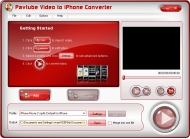
Pavtube Video to iPhone Converter
|
|
Download
|
Buy now!
|
View screenshots
|
Vendor Price: $ 25
License: Shareware
File Size: 5.43 Mb
Version: 1.0.1.125
Release Date:
17 Jul 2008
OS: Windows2000, WinXP, Windows2003, Windows Vista Starter, Windows Vista Home Basic, Windows Vista Home Premium, Windows Vista Business, Windows Vista Enterprise, Windows Vista Ultimate, Windows Vista Home Basic x64, Windows Vista Home Premium x64, Windows Vista Busine
System Requirements:
64MB Memory (128MB recommended)
Company: Pavtube Studio
|
|
Pavtube Video to iPhone Converter is an extremely easy-to-operate conversion tool for iPhone-lovers. It can convert most video formats to iPhone supported formats for playback on it freely. Besides, its super speed is beyond your imagination and pretty good quality will satisfy you absolutely. Meanwhile, compared with other similar products, it has the powerful functions as follows:
1. Pavtube Video to iPhone Converter can support converting various formats. The input formats: WMV, ASF, WMA, AVI, RMVB, RM, RA, MOV, QT, MP4, M4V, 3GP, 3G2, DAT, MPG, MPEG, MP3, VOB, DV. The output formats: MP3, M4A, AAC, MP4, and WAV.
2. The user-friendly interface can make you use it masterly without the complicated process. In shot time, you will become the expert for using the product.
3. The fast conversion speed saves you much time. You have no botheration of long time waiting.
4. You can enjoy the videos with the excellent quality after the conversion on your iPhone. It is as good as the original one without any loss.
5. By trim and crop function, you can customize the videos, choosing the time phase and the region of the video that you prefer. Also, unwanted black edges are allowed to cut off. All is up to you!
6. Merge the videos into a big one and enjoy the continuous videos without any interruption during the whole movie or music.
7. Want more controls for the video? You can set the advanced settings including bit rate, frame rate, video size, etc. and get the better videos. For experienced users, it is pretty good choice!
8. Get the beautiful and still pictures with one click during previewing the video and save them into our PC for collection.
9. Before conversion, you can preview the original video and enjoy the videos in advance!
|
More to download:
DivX Subtitle Displayer
DivX Subtitle Displayer is a program that can display subtitles while playing DivX movies. It is easy to use and has many features, such as subtitle font settable, FPS changeable, movie play list, and so on. Now support srt subtitle format !
Wondershare video to iPhone Converter for Mac
Wondershare Video to iPhone Converter for Mac can convert video to iPhone on Mac OS to put regular video files on iPhone. The Mac iPhone converter can convert video files including MPEG, MP4, 3GP, 3G2, AVI, HD video to iPhone, iPod and Apple TV.
Aiseesoft Total Media Converter for Mac 8.0.38
Aiseesoft Total Media Converter for Mac owns the functions of Aiseesoft homemade DVD converter and Aiseesoft Video Converter so you can use it to rip any homemade DVD disc and convert any popular video/audio file to another video and audio format.
|
|
|
Windows Backup |
Looking for backup software? Try Handy Backup - automatic data backup to DVD, CD, FTP, network, or Online. Client-server enterprise backup software.
|
|
Top Downloads |
Schedule, resume and accelerate downloads by up to 5 times with this accelerator
FrostWire - Download MP3s, Videos & Movies for FREE
Log into web sites with a single click. Fill web form details automatically.
|
|



