|
Innovative software utility gettings from the specialized in download catalogues! Explore the featured software system families, check the freshest renews of the great programs solutions, and try forthwith! Do not miss chance to try the hottest software program: apply SoftEmpire website to recieve package for free. Check out the accumulation of free utilities and software package demo versions. select among Windows apps, try managers, firewalls, and all other varieties of software for your notebook or cell stuff!
Resources for software development: IDE & Editors, programming, testing, configuration management, databases and components. Huge collection of free components and utilities. Free download of all files.
|
Powerbullet Presenter
|
|
Download
|
Buy now!
|
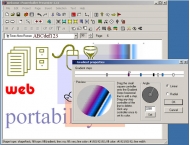
View screenshots
|
License: Freeware
File Size: 2.16 Mb
Version: 1.366
Release Date:
11 Jul 2004
OS: Win98, WinXP, Windows2000
System Requirements:
Internet Explorer 5.5 or greater
Company: DDD Pty Ltd
|
|
Easily create slick Flash presentations for business, sales or educational uses. Simple drag and drop interface means no technical expertise is required. Publish to the ubiquitous Flash format for maximum exposure.
Powerbullet is aimed at non-technical users. If you are familiar with a basic text editor you should be comfortable with Powerbullet.
Drop in sounds (MP3 or WAV files), images (PNG, GIF, JPEG) or Flash files (SWF). Create animations on any element in the page. Create page transitions - entry and exit - with the click of a button.
Type text directly into the layout area and add color, formatting, special effects such as drop shadows and animations. Or copy text from Word or other programs and paste into Powerbullet , retaining all the formatting.
Create sophisticated color effects using transparency, gradients and overlaps.
There is no need for timelines, channels or scripting. Move items around the layout - left/right, up/down, in/out with your mouse.
Powerbullet can export the Flash movie in different modes, depending on your choice: for a standard slide-show, navigation buttons are automatically generated and added to the bottom of each page (slide). Or you can select auto-advance mode controlled by a timer. You can also synchronize a page to the the sound attached to it, so the page will wait until the sound has finished befor advancing. For kiosk use, you can select full-screen output mode, which works in practically all modern web browsers.
There are a few other handy features that make Powerbullet a cheap, simple, web-based alternative to Powerpoint, such as the timer feature. If you are giving a talk and want to synchronize the slides, you can click a record button for each page and try out your talk. The page timer will then be set to the length of your talk. Other handy features include "auto-bullet", there you can type in a list of bullet points and have them all animate in sequence automatically
|
More to download:
StreetSmarts for Drivers 101
StreetSmarts for Drivers 101 is intended for anyone, male or female who drives a vehicle, period. Easy-to-understand practical tips on anything connected with driving savvy being streetsmart, pure and simple...
SPX Instant Screen Capture
SPX captures an image from your monitor(s) - ready for two or more monitors! Send it directly to clipboard, file, e-mail, ftp, printer or another program. Better yet, send if first to SPX Annotation Editor to "show and tell" and explain you
Advanced FileTimer
Advanced FileTimer (formerly known as FileTime) is a file management tool for modifying date and time stamps of your files. Repairs incorrect file dates by altering the time and date of selected files. Add/subtract days, set your own time/date, etc.
Zuma Pro
Real-Time 3d VJ Entertainment, Performance & Authoring Software. Immediately experience & create Audio-driven music visualizations using these features: Keyboard Controls & Magic Sliders, Playlist and Power Editor, Record and Make Movie, Dual Screen
CaptureWizPro Screen Capture
Capture it all - images, scrolling areas, screen action, video and audio. Innovative features make it fast and easy, like our pop-out capture bar, speedy predictive capture tool, fully automatic bi-directional scrolling, and full-screen preview.
LeoStatistic
Universal tool for statistical analysis and modeling of experimental and market data. Support import data from variety of data sources. Statistical schemes cover all major data modeling operations. Create report ready output.
Cutter
A wonderful tool for 2D Sprites and tiles optimisation.
Optimise, reduce, reorganise , rotate, overlay your 2D sprites!
ZZEE PHP GUI
ZZEE PHP GUI is an easy-to-install PHP solution for Windows. It sets up in seconds and works out-of-the-box. You can rapidly develop Windows GUI applications by employing the familiar PHP web paradigm. You also can use it to test your web scripts.
Vertical CSS Menu Expression Web Addin
Vertical Menu Advancer for Expression Web provides simple way to add vertical dropdown menus to websites without coding. This menu builder creates menus using eye-catching templates and gives function set to make custom design through intuitive GUI
|
|
|
Windows Backup |
Looking for backup software? Try Handy Backup - automatic data backup to DVD, CD, FTP, network, or Online. Client-server enterprise backup software.
|
|
Top Downloads |
Schedule, resume and accelerate downloads by up to 5 times with this accelerator
FrostWire - Download MP3s, Videos & Movies for FREE
Log into web sites with a single click. Fill web form details automatically.
|
|



