|
Multimedia software to view video, listen audio, view images. Video viewers, decoders and converters are available in our catalog. Video software for PC, iPhones and other mobile devices. Audio software helps you convert your favorite music and play on your favorite audio device like iPhone, MP3 flash player etc. Image viewers work fast and allow to convert in any image formats. Best multimedia software in our catalogue.
|
Quick Image Resizer
|
|
Download
|
Buy now!
|
View screenshots
|
Vendor Price: $ 29
License: Shareware
File Size: 2.92 Mb
Version: 2.7.3.1
Release Date:
26 Jan 2015
OS: WinXP, Windows2000, Windows2003, Windows Tablet PC Edition 2005, Windows Media Center Edition 2005, Windows Vista Home Basic, Windows Vista Home Premium, Windows Vista Business, Windows Vista Enterprise, Windows Vista Ultimate, Windows Vista Home Basic x64, Windows
System Requirements:
No special requirements.
Company: DzSoft Ltd
|
|
Modern digital cameras produce images with up to 6 times higher resolution than their ancestors. While the resolution is very important to photo-printers, such resolution can be a severe drawback for on-screen and Internet viewing.
This is why, before uploading your images to the Web or sending them via e-mail, you use your imaging software to reduce their size. There are two main disadvantages of this method. First, you need to do the same repetitive actions every time. Normally, you have to navigate to the folder containing images from your camera, then you need to select the images, set up resizing options, select a target folder, etc. The second disadvantage is that when resizing your images you never know exactly what file size they will have after resizing. Photos with a lot of small details will be significantly bigger in size than simple images after resizing with the same level of JPEG Quality/Compression.
Quick Image
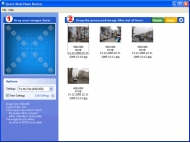
Resizer from DzSoft solves both problems. From now on, you don't need to bother with browsing through folders with your image viewer. This program offers an easy, yet very powerful, technique of resizing your photos. You simply select a conversion scheme and drag the photos to the program`s window. Your photos get automatically converted and you can drag them out, upload to the Web or send via e-mail. A "Conversion scheme" is a set of user-defined resizing options. You can define several sets for different purposes. The most exciting feature of the resizing options is that you can select the desired resulting image file size. The program will automatically choose a JPEG Quality/Compression level for each image to best fit the file size and dimensions that you've selected. In addition, the program can automatically watermark your images or place your logo on them. An option to keep or remove the EXIF metadata has been added.
|
More to download:
The vOICe Learning Edition
The vOICe software translates images from a PC camera (webcam) into sounds that you hear via your stereo headphones, thus targeting sensory substitution applications and synthetic vision for the totally blind.
PaletteMaker
PaletteMaker creates a common 256-colour palette from a list of RGB pictures. It uses an iterative and interactive procedure in order to optimize those colours that you judge most important. PaletteMaker is flexible and achieves high quality.
SnipClik
SnipClik - process or compare hundreds of photos with just one click! No need to load every photo separatelly. SnipClik is a right-click add-in that integrates directly into Windows Explorer.
|
|
|
Windows Backup |
Looking for backup software? Try Handy Backup - automatic data backup to DVD, CD, FTP, network, or Online. Client-server enterprise backup software.
|
|
Top Downloads |
Schedule, resume and accelerate downloads by up to 5 times with this accelerator
FrostWire - Download MP3s, Videos & Movies for FREE
Log into web sites with a single click. Fill web form details automatically.
|
|



