|
Free software app gainings from the featured in download collections! Browse the popular software apps sections, find out the most recent versions of the featured programs solutions, and test instantly! Do not lose a luck to acquire the greatest utilities: apply SoftEmpire website to recieve tools for free. Meet the directory of freeware and software program trials. take among computer utilities programs, setup planners, softwares for fun, and all other sorts of apps for your notebook or cell devices!
Multimedia software to view video, listen audio, view images. Video viewers, decoders and converters are available in our catalog. Video software for PC, iPhones and other mobile devices. Audio software helps you convert your favorite music and play on your favorite audio device like iPhone, MP3 flash player etc. Image viewers work fast and allow to convert in any image formats. Best multimedia software in our catalogue.
|
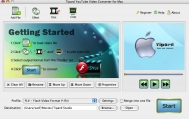
Tipard YouTube Video Converter for Mac
|
|
Download
|
Buy now!
|
View screenshots
|
Vendor Price: $ 19
License: Shareware
File Size: 10.70 Mb
Version: 3.2.10
Release Date:
17 Apr 2010
OS: MAC 68k, Mac PPC, Mac OS 9, Mac OS X, Mac OS X 10.1, Mac OS X 10.2, Mac OS X 10.3, Mac OS X 10.4, Mac OS X 10.5, Mac Other
System Requirements:
MAC OS X and higher operating system, 128M memory
Company: Tipard Studio
|
|
This Tipard Mac YouTube Video Converter offers many pragmatic features for Mac users to optimize the video effect, like " merging several titles/chapters into one file, cropping the video play region, trimming the video length, and setting video brightness, contrast, saturation, Hue, etc".
|
More to download:
Aiseesoft Sony Converter for Mac
Aiseesoft Sony Converter for Mac provides you a great possibility to convert video into Sony Ericsson/PSP/Walkman or playing on other mobile phones. You can convert these video formats like AVI, MPEG, WMV, MP4, MOV, and RM.
4Easysoft Blu-ray to Xbox Ripper
4Easysoft Blu-ray to Xbox Ripper,as best and practical Blu-ray Ripper,offers you an all-in-one solution of ripping Blu-ray Disc and standard DVD to Xbox and converting general video to many popular video formats as you like.
Boilsoft Video Converter for Mac
Boilsoft Video Converter for Mac converts all popular formats such as AVI, MOV, MP4, FLV, MPEG, VOB, RM, MP4, WMV, and etc. to AVI, MPEG, VCD, SVCD, DVD, 3GP, iPod Mp4, PSP MP4, MP4, .flv/Flash
|
|
|
Windows Backup |
Looking for backup software? Try Handy Backup - automatic data backup to DVD, CD, FTP, network, or Online. Client-server enterprise backup software.
|
|
Top Downloads |
Download, save and convert Redtube videos ( redtube.com ) to your PC
PhotoScape is an all-in-one style photo editor with fun and ease of use.
Convert any format video files with fast speed and excellent video quality.
|
|



