| Editor's choice |
Aimersoft DVD to Mobile Devices Converter 2
Rip DVD to AVI, MP4, 3GP for cell phone and other mobile devices with easily.
Eztoo DVD To iPod Converter
convert DVD(VOB Video) to iPod MP4 (MPEG-4) and MP3, AAC, M4A, etc. DVD2iPod
Xilisoft DVD to iPhone Suite for Mac
Discount pack including DVD to iPhone, Video to iPhone Converter for Mac users.
Any Flv Converter
Convert any format video files with fast speed and excellent video quality.
FLV-- to Palm Converter
FLV to Palm Converter can convert FLV and SWF Video to Palm Video.
PPT2Flash Pro - PowerPoint to Flash Converter
Convert PowerPoint to Flash for Web Presentations and E-Learning Courses
Pavtube DVD to Zune Converter
Convert DVD to Zune WMV, MP4, AAC, MP3, M4A and WAV easily.
|
|
Excellent application acquisitions from the specialized in download websites! Explore the featured software program classes, see the newest updates of the featured utilities, and recieve directly! Do not fail opportunity to obtain the popular solutions: utilise SoftEmpire to acquire package for free of charge. Have a look on the aggregation of free programs and software program trials. Choose among Windows services programs, try planners, softwares for relax, and all other kinds of apps for your notebook or cellular devices!
Multimedia software to view video, listen audio, view images. Video viewers, decoders and converters are available in our catalog. Video software for PC, iPhones and other mobile devices. Audio software helps you convert your favorite music and play on your favorite audio device like iPhone, MP3 flash player etc. Image viewers work fast and allow to convert in any image formats. Best multimedia software in our catalogue.
|
Tutu MOV to X Converter
|
|
Download
|
Buy now!
|
View screenshots
|
Vendor Price: $ 24.95
License: Shareware
File Size: 7.21 Mb
Version: 3.1.9.1122
Release Date:
19 Apr 2009
OS: Win95, Win98, WinME, WinNT 4.x, Windows2000, WinXP, Windows2003
System Requirements:
64MB RAM
Company: Tutusoftware Studio
|
|
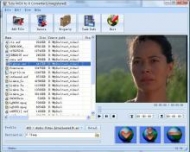
Tutu MOV to X Converter is a fast and excellent tool of converting MOV file to most popular video formats, such as MOV to MPEG, MOV to AVI, MOV to MOV, MOV to MP4 and MOV to WMV etc. And also you can convert MOV to your portable devices, such as MOV to iPod, MOV to iPhone, MOV to PSP or MOV to zune.
With a well-designed interface, Tutu MOV to X Converter can help you convert MOV files to almost all kinds of popular video, including DivX, XviD, WMV, 3GP, AVI, MP4, M4V, ASF, MOV, VOB and MPEG. It offers some parameters of conversion options that you can be set, for example the frame rate, bit rate etc.
Features:
1. Convert MOV video to all popular video formats-- Input video format supported: MOV video file; Output video format supported: Supports converting MOV video file to video formats like DivX, XviD, WMV, 3GP, AVI, MP4, M4V, ASF, MOV, VOB and MPEG, perfect support H.264 format;
2. Video Screen Crop/Pan-- Tutu MOV to X Converter provide a perfect conversion scheme to convert MOV video between different video aspect such as 16:9 and 4:3 video, whatever MOV to WMV, MOV to MPEG or MOV to AVI etc.
3. Batch conversion-- you can enactment every MOV video converting task flexibly, and the task can be saved and load.
4. User-adjustable codec parameter setting-- All of the video codec parameters is optimized and predigested, the default setting can get good quality video, and you also can set them flexibly to get excellent quality video files.
5. Output parameters configuration-- Output files can be renamed(without extension file name WMV/AVI/MPEG etc.) and the output path can be easily modified(absolute path).
6. View the information of the original files-- You can view the detail information about video codec, video bit rate, frame rate, audio codec, audio bit rate, sample rate etc. of a video file with all file format(WMV, AVI, MPEG, MP4, MOV etc.)
7. Play video files for preview
|
More to download:
ReaJPEG Standard
Simple and easy image converter from common graphic files to JPEG. With its built-in editor all the image editing techniques become simpler.
E.M. Total Video Converter Command Line
E.M. Total Video Converter Command Line is a powerfull console utility for video conversion between almost all video types, it supplies an easy and effecient way to add video encoding features with CGI or server-side scripting language on your server
Video File Converter
Video File Converter - a simple user friendly program for converting any video files in various formats such as MP3, MP4, AVI, OGG and many others. Also Video File Converter can convert video files to watch them on any popular mobile devices.
|
|
|
Windows Backup |
Looking for backup software? Try Handy Backup - automatic data backup to DVD, CD, FTP, network, or Online. Client-server enterprise backup software.
|
|
Top Downloads |
SimplySMS: Send/Read SMS (via serial port) for GSM phones (Siemens,Nokia,others)
Convert 3GP files to MP4 and AVI, video with Free 3GP Video Converter
Simple and flexible Personal Accounting Software
|
|



