|
Setup program swiftly and handy. Our catalogue is pleased to show a handy assortment of the most good free programs, tools, and applications. On this site you may get trial updates of favorite marketable programs, and obtain the top free programs for your laptop or mobile device. Investigate an excellent group of special recent programs on SoftEmpire catalog! Recieve demo editions and try fresh apps on the PC or mobile appliance. See the fresh editions and new releases of common program, fresh programs, and laptop tools! Obtain today!
Best Windows utility software downloads for the best costs and free!
System software projected to help analyse, configure, improve, and maintain the computer.
Hard disk utility software to define the status and manage all varieties of disk drives.
Windows utility software tool collection to assess, structure, and optimize the works of the computer.
|
Professional Renamer
|
|
Download
|
Buy now!
|
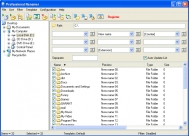
View screenshots
|
Vendor Price: $ 19.95
License: Shareware
File Size: 1.21 Mb
Version: 2.75
Release Date:
18 Jan 2009
OS: Win95, Win98, WinME, WinNT 3.x, WinNT 4.x, WinXP, Windows2000, Windows2003, Windows Vista Starter, Windows Vista Home Basic, Windows Vista Home Premium, Windows Vista Business, Windows Vista Ultimate, Windows Vista Home Basic x64, Windows Vista Home Premium x64, Windows
System Requirements:
Pentium-200 MHz, 16MB RAM, 2MB HDD
Company: MIKLSOFT
Languages:


|
|
What is Professional Renamer?
Rename files and folders with Professional Renamer. Its user friendly and intuitive interface allows you to rename files and folders easily. Unique templates system will helpfully assist you in making up new names. All changes on new name immediately appear in the files list, what allow you to see the result before renaming. Put in good order your mp3 collection and photo archive, by adding date, time and counter to its names.
With Professional Renamer you can
rename mass of files
rename mass of folders
process subfolders to rename files or folders
view preview before rename
navigate through folders tree view
save renaming template
import/export renaming patterns
cataloging your photo and mp3 collection
Uppercase/lowercase
add counter to new name
find and replace function
change file extensions
insert creation/modification/access/current time & date
filtering list of files
include/exclude folders in the file list
About the Professional Renamer Visual Templates
The system of visual templates allows applying different name patterns to every file or folder type. One name pattern can include up to nine fields with the user-set separators in between. Each field in its turn carries a variety of attributes like source name, date, time, counter, user string, etc. The attributes are set through dialogues that avail users of a choice of parameters. For instance, time can form a part of a name string as a one- or two-digit value and allows a choice between the time of creation, modification, last access or any other user-set value. The same flexibility is in every attribute dialogue. The unique pattern thus created will be saved as a reusable template or exported into a file. The system of visual templates extends the range of available renaming options and provides additional consistency of name patterns.
|
More to download:
Alternate Data Stream Tools for NTFS
ADSTools (Alternate Data Stream Tools for NTFS File Systems) allows users to find and view all alternate data stream files on NTFS file systems. ADSTools also allows the user to make, edit, copy, move, rename, delete and run ADS files.
File Renamer Basic
File Renamer Basic makes it easy to rename files, folders, MP3 files and edit ID3v1 and ID3v2 tags. It provides as intuitive layout in as few screens as possible to rename files with ease. Can even view thumbnails and rename lists of files.
Renamer
Program rename files group.
It is useful, if, for example, it is necessary to change expansion from one to another at hundred files.
Or to clean a name of the author in names download songs.
Very clear interface and the small size.
File Renamer 2005
File Renamer 2005 is an all-in-one power-packed utility to rename the files speedily and efficiently without any errors as it has an in-built preview pane to visualize the after-effects of renamed files.
Icon Collector
Icon Collector searches files and directories for icons. Found icons are listed and can be copied, extracted and saved as icon or bitmap files. In addition, the Collector makes it easy to create icon libraries via drag & drop and to work on them.
Ceramic Wares
This ebook is for collectors, practitioners, and students of ceramics who are in need of technical and yet handy referencing to those types and techniques known first by their materials and second by their manufacturers. Fully illustrated.
Export Lotus Notes to Outlook
Export Lotus Notes to Outlook software lets you convert NSF file of Lotus Notes to PST file of MS Outlook. It converts emails, contacts, images, attachments folder with subfolders to .PST or exchange server.
GroupWise to Exchange
Perform flawless and effortless GroupWise to Exchange Migration within few minutes with Kernel for Novell GroupWise to Exchange
Convert EMLX to EML
EMLX to EML Conversion is made easy with Software to Convert EMLX to EML - SoftSpire EMLX to EMLX Converter. Convert EMLX to EML in easy steps and then you can easily open and view EMLX files in all EML supported email clients.
|
|
|
Windows Backup |
Looking for backup software? Try Handy Backup - automatic data backup to DVD, CD, FTP, network, or Online. Client-server enterprise backup software.
|
|
Top Downloads |
Download, save and convert Redtube videos ( redtube.com ) to your PC
PhotoScape is an all-in-one style photo editor with fun and ease of use.
Convert any format video files with fast speed and excellent video quality.
|
|



